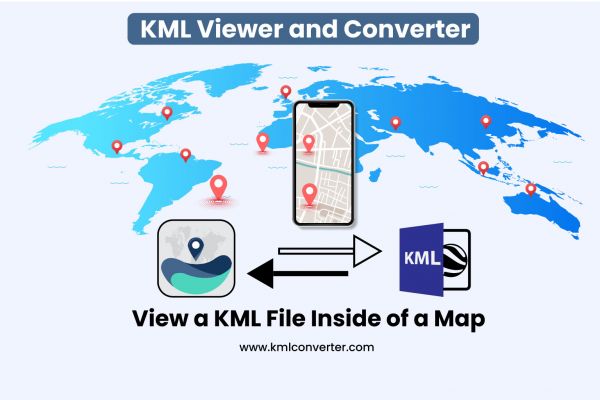
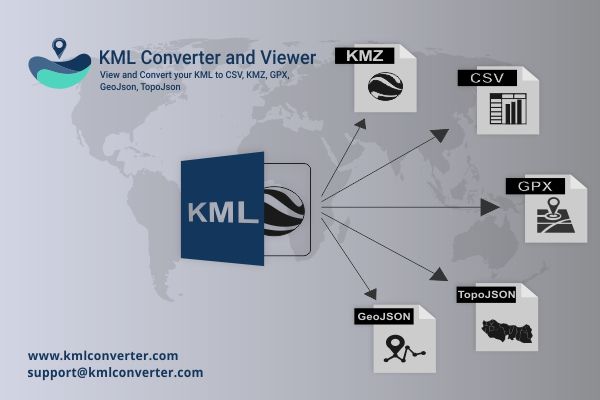
Your file can be quickly and easily converted into KMZ, GPX, GeoJSON, TopoJSON, and CSV using the KML viewer and converter.
There are numerous applications with multiple features accessible on the market, but one in particular, Geo Measure, allows you to access an area in a variety of units, including square feet and acres.
A Keyhole Markup Language file is frequently referred to by the file extension KML. KML files are generally used to store geographic data in a common XML format that Google Earth understands.
KML stands for keyhole markup language this is an XML based file format and that is store geographical data to store and accurate content and is an Open Geographical Consortium (OGC) standard. KML is format to sharing geographical data with non GIS users as it can be easily delivered on the internet and that is viewed in a number of free application. Including Google Earth and ArcGIS Explorer. KML files have a .KML or .KMZ file extension. This file for compressed or zipped KML files.
Import your KML file from Dropbox or else in your google drive. In this step, many of your KML file and here you choose any one KML file. When you choose your file here you can see your instant preview that how it shows look like. To convert the file choose your format KML to KMZ, GPX, Geojson, Topojson, CSV, KML choose any one format. Now click on share and you have done.
Converting a KML file to GPX is simple using KML/KMZ to GPX Converter. Simply launch the app and import the KML file you want to convert.
Many of the files are not compatible to open it in a real format that is needed to be converted and then open it. Some of the files are not open it, that are needs some tool to be converted and then open it in your compatible format. Some of the files such as KML ( Keyhole Markup Language ) file that needs to convert it and then open it in your compatible file format. If you want to open your KML file and convert it into KMZ, TopoJSON, GeoJSON, CSV and any other extensions. Then you can convert it with KML viewer and converter tool.
GeoJSON is a format for encoding a variety of geographical data structure. A GeoJSON object may represent a geometry a feature, or a collection of features. GeoJSOn are supporting the following Geometry types such as point, LineString, polygons, MultiPoints, MultiLinestring, MultiPolygon. In the GeoJSON contains a Geometry object and additional properties, and a feature collection represents a list of features.
A free online GIS programme that converts KML to TopoJSON. You can also convert to a variety of other formats. This utility also allows you to modify the output file's spatial reference system.
If you are trouble with your KML file and convert it into CSV format but at that time you don’t have an option for that, here you can convert your KML file into CSV is the easiest way to convert it. Here you can just load your KML file and choose whatever you want to convert it form. And you had done. This is the simplest tool that it can convert your KML file easily.
The CSV is a comma-separated value that can show the data in tabular format. CSV showed a garden of variety but that is shows with comma separated values. This all dataset can be saved in a .CSV extension in the CSV format that is shown in any spreadsheet like Microsoft Excel, google spreadsheet that is also shown in one spreadsheet because there was only one single spreadsheet. That cannot save a column, row, and cells, and also you can not save formula on that.
If you want to convert your KML file into KMZ than use online tool for KML to KMZ file converter. A KML file is a specific data file that is shown on Google earth were KMZ file is a zipped version of the KML file. So if you want to change your KML to KMZ file then zip program such as WinZip Winrarnrar are required.
You can convert your file KMl into KMZ in some easy steps. Like firstly you can import your KML file then next step preview of your KML to KMZ file are shows then click on save button and your file has been successfully converted in KML to KMZ. if you want to share your KML to KMZ file then you can easily share with your friends.